
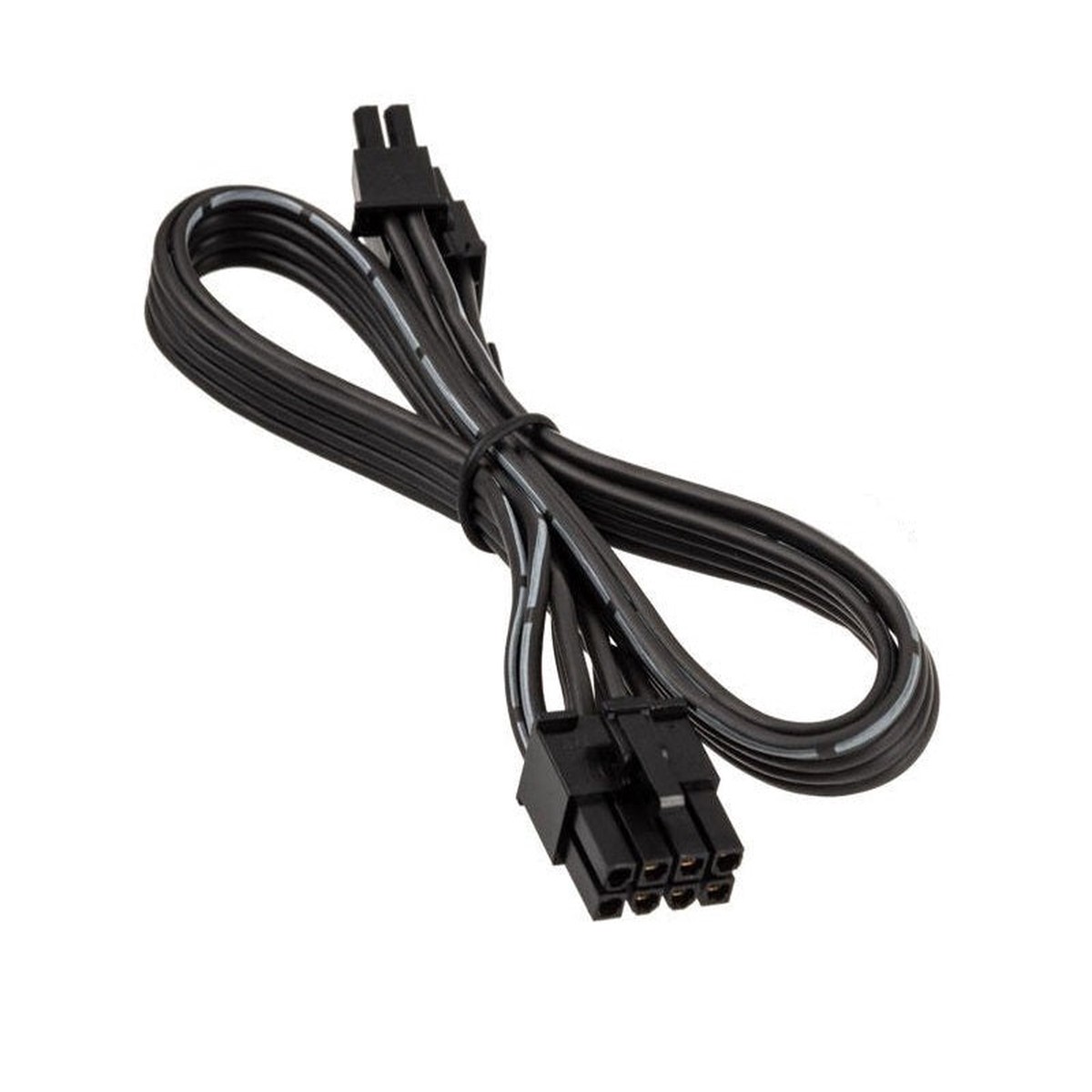
SilverStone 8Pin to PCI-E 6+2Pin Modular PSU Power cable for DA550 | DA650 | DA750 | DA850
$14.95$11.96

Have everything you need to get the job done with this compact dock that keeps your desk clean. With a single USB-C cable,[1] open your ports to all your accessories, connect up to three high-res displays,[2] stable Ethernet connection, and so much moreall while charging your laptop.[1] Clear your desk and clear your mind with this HP USB-C G5 Essential Dock.
Seamless Productivity
Effortlessly go the extra mile with just a single USB-C cable.[1] This essential dock seamlessly powers and supports 4 USB-A ports for all your accessories, up to 3 high-res displays,[2] and stable Ethernet connectionall while delivering 65W of power to your laptop.
More Ports, Less Constraints
This essential dock is designed to work with what youre working with.[1] Its compatible with most USB-C or Thunderbolt enabled PCs,[5] and its various ports open the way to all your accessories.
Simple Setup. Essential Manageability.
Just plug in the dock and get down to business. Its simple to stay up to date with essential manageability features[1] including connected firmware updates,[3] PXE boot,[4] LAN/WLAN switching, and more.
Compact Meets Impact
Reclaim your desk and clear the clutter with a compact dock that takes up less than 5 x 5 inches of space. With a single cable connection, less is more.
[1] This dock does not currently support out-of-band MAC Address Pass-Through. This dock does support in-band MAC Address Pass-Through on HP G8 and G9 supported commercial notebooks and requires a NIC driver that can be found on https://support.hp.com. In-band MAC Address Pass-Through requires the Windows OS to be running in order to operate. On (S0) and Standby Sleep states (S3) are supported. Out-of-band MAC Address Pass-Through functionality is planned for 1st half of 2023 through a firmware update. For USB-C alt mode functionality, host PC must support the DisplayPort Alt mode protocol through its USB-C or Thunderbolt port. Charging and port replication is supported on notebooks that have implemented USB-C Alt Mode industry specifications. Power button to turn on or wake the system only functions on HP or HP supported notebooks. PXE Boot functionality will d
Have everything you need to get the job done with this compact dock that keeps your desk clean. With a single USB-C cable,[1] open your ports to all your accessories, connect up to three high-res displays,[2] stable Ethernet connection, and so much moreall while charging your laptop.[1] Clear your desk and clear your mind with this HP USB-C G5 Essential Dock.
Seamless Productivity
Effortlessly go the extra mile with just a single USB-C cable.[1] This essential dock seamlessly powers and supports 4 USB-A ports for all your accessories, up to 3 high-res displays,[2] and stable Ethernet connectionall while delivering 65W of power to your laptop.
More Ports, Less Constraints
This essential dock is designed to work with what youre working with.[1] Its compatible with most USB-C or Thunderbolt enabled PCs,[5] and its various ports open the way to all your accessories.
Simple Setup. Essential Manageability.
Just plug in the dock and get down to business. Its simple to stay up to date with essential manageability features[1] including connected firmware updates,[3] PXE boot,[4] LAN/WLAN switching, and more.
Compact Meets Impact
Reclaim your desk and clear the clutter with a compact dock that takes up less than 5 x 5 inches of space. With a single cable connection, less is more.
[1] This dock does not currently support out-of-band MAC Address Pass-Through. This dock does support in-band MAC Address Pass-Through on HP G8 and G9 supported commercial notebooks and requires a NIC driver that can be found on https://support.hp.com. In-band MAC Address Pass-Through requires the Windows OS to be running in order to operate. On (S0) and Standby Sleep states (S3) are supported. Out-of-band MAC Address Pass-Through functionality is planned for 1st half of 2023 through a firmware update. For USB-C alt mode functionality, host PC must support the DisplayPort Alt mode protocol through its USB-C or Thunderbolt port. Charging and port replication is supported on notebooks that have implemented USB-C Alt Mode industry specifications. Power button to turn on or wake the system only functions on HP or HP supported notebooks. PXE Boot functionality will d
There are no reviews yet. Be the first to review this product!


Add a review
Your email address will not be published. Required fields are marked *